(SAN RAMON, CA.) - City council meetings play a crucial role in the decision-making process that shapes policies and decisions that impact the lives of thousands of residents.
These meetings cover a wide range of topics, from budget matters and public safety to community events and local initiatives.
San Ramon City Council meetings provide residents with an opportunity to voice their opinions through public comment. However, many community members are unable to participate because attending meetings in person can be inconvenient or inaccessible.
But now, access to meetings is changing. The council has recently reinstated the option to attend and participate in meetings via Zoom, which had previously been discontinued due to concerns over "Zoom bombings."
“Zoom bombings” are incidents in which someone makes an inappropriate comment to disrupt the meeting.
Now that the option for residents to attend meetings virtually has been reintroduced, communities have the powerful opportunity to stand up for themselves and bring light to issues pressing them and their neighbors.
OpGov.News is proud to share a step-by-step guide for how you can virtually attend these city council meetings.
Step 1: Go to the official website for San Ramon meetings and agendas using this link:
San Ramon Portal - Civic Clerk
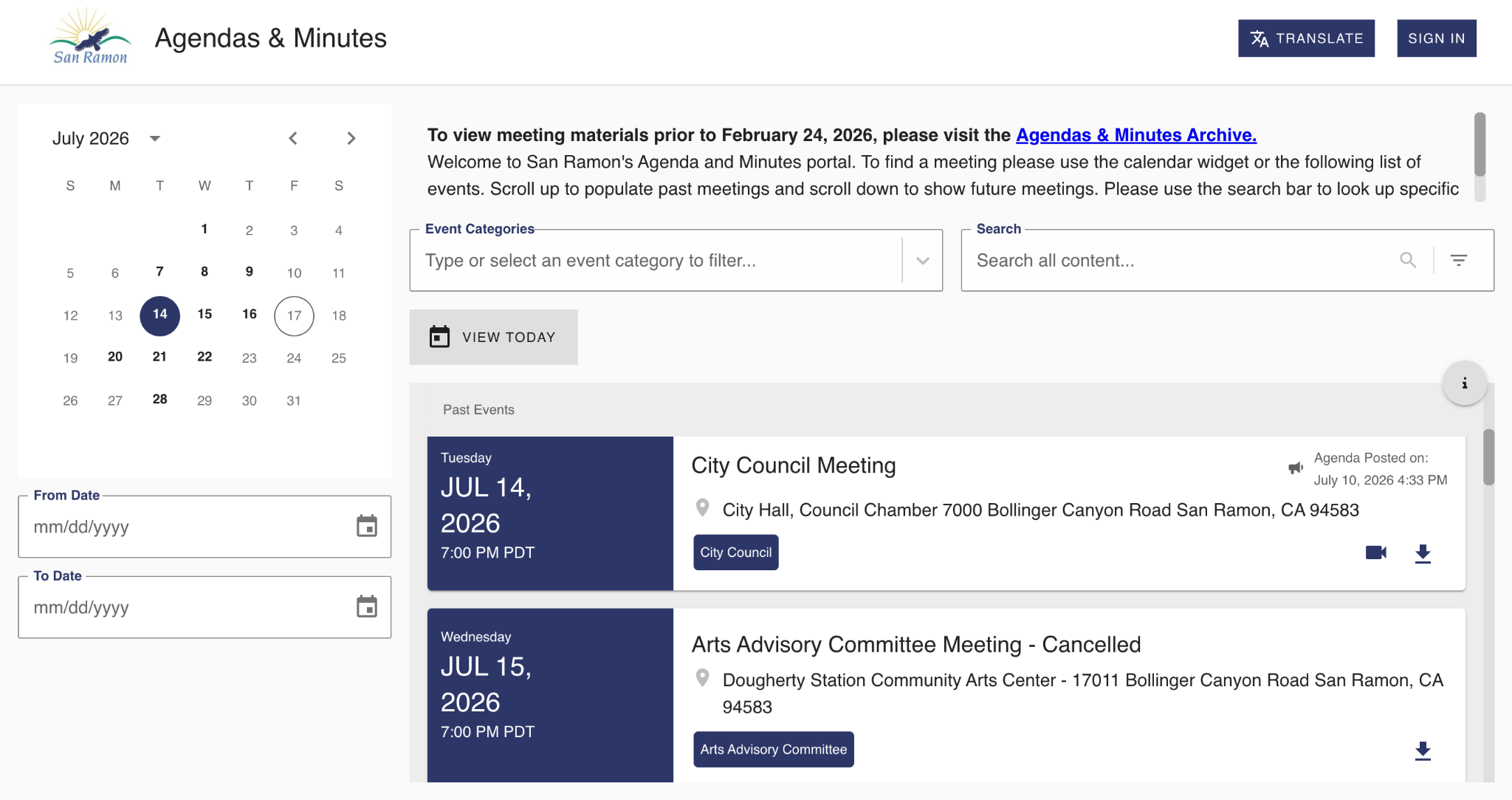
Step 2: Scroll until you find the next city council meeting date, and click on it.
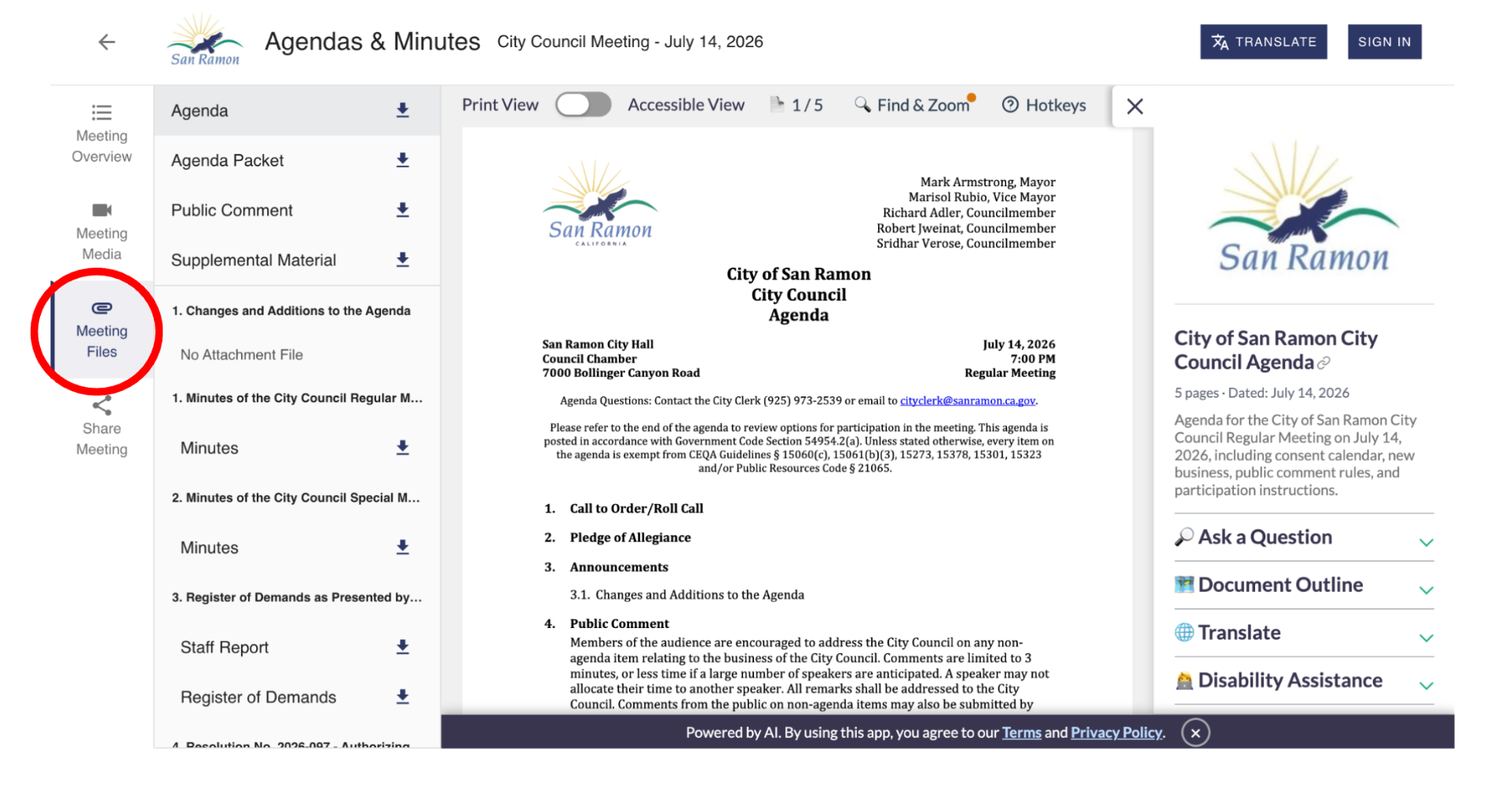
Step 3: After clicking on the meeting, you’ll reach a page with the official agenda and media for that meeting. Click on the tab on the left sidebar that says “Meeting Files.”
Step 4: Now that you’re viewing the meeting files, make sure you have selected to view the “Agenda Packet.” On the packet, you will need to scroll down until you see a page that is titled with this: How to View or Participate in the Meeting
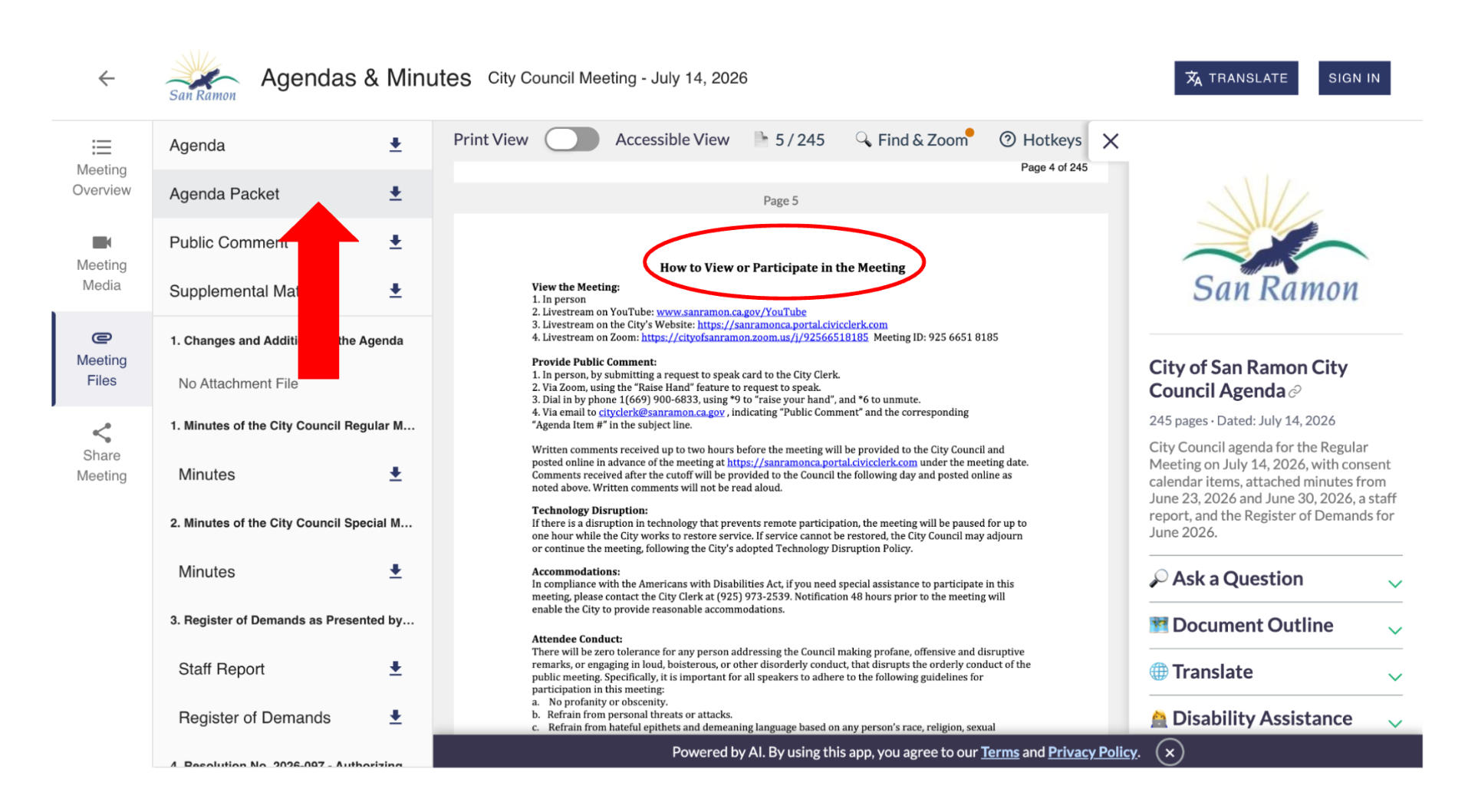
This page gives you instructions and provides links for how you can watch the council meeting live on YouTube or on a Zoom meeting, in which you will be able to use the “Raise Hand” feature to make a comment.
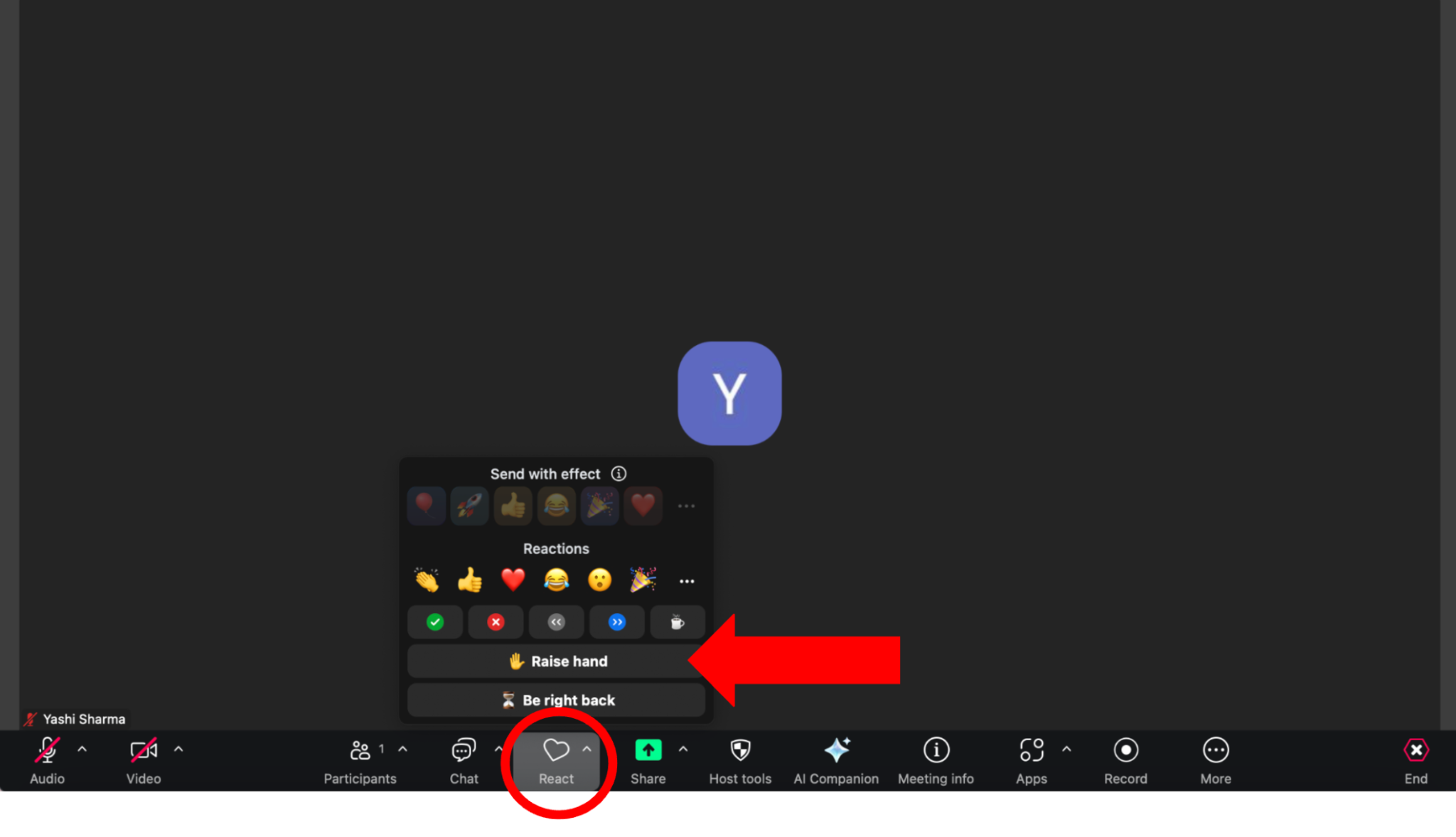
Step 5: “Raise Hand” via Zoom. When you join the meeting, click the icon that says “React.” Some folks may have it written as “Reactions” as well. After clicking the icon, you will have the option to raise your hand, which will signal to the council’s clerk that you wish to make a public comment.
The standard time residents will be allowed to speak is typically three minutes. It’s important to plan what to say around this time to avoid being cut off before the alotted time is up.
For the city council meeting on July 28 at 7:00 p.m., agenda items and files have not been published yet. Residents can check for these items the day of the meeting, a few hours before it commences.
If you have any questions about this process, please email me at yashi.s@lead4earth.org or leave a comment below.
0
0

Comments